
Lumadia
Read scanned PDFs and images in dark mode: invert, darken and adjust them in view, without changing the file.
Made for scans
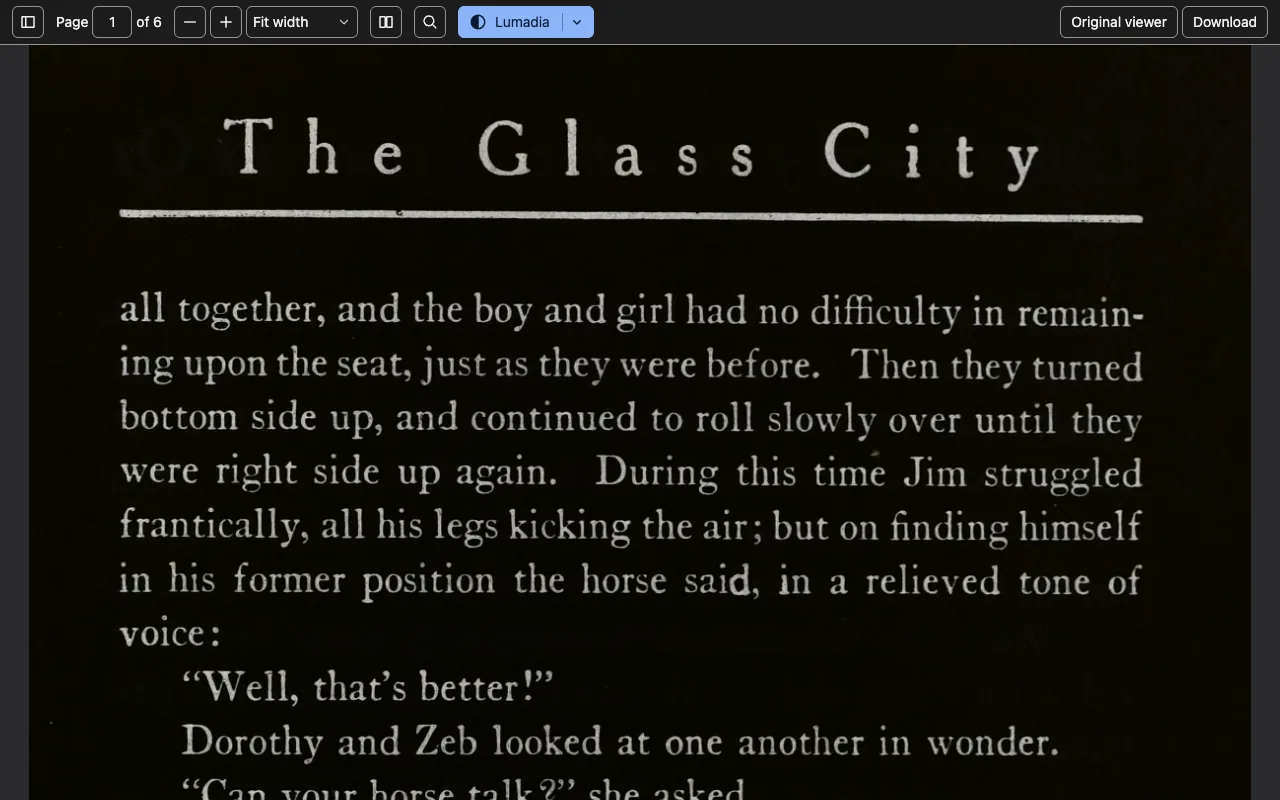
Most dark modes recolour text. A scanned book is a picture, so they leave it a bright white page. Lumadia filters the picture itself: the page turns dark, the ink turns light, and the file stays exactly as it was.
What it does
- Every PDF in its own viewerLinks, downloads and files on your disk open in Lumadia's viewer, with find, thumbnails, outline, page labels, rotation, spreads and presentation mode.
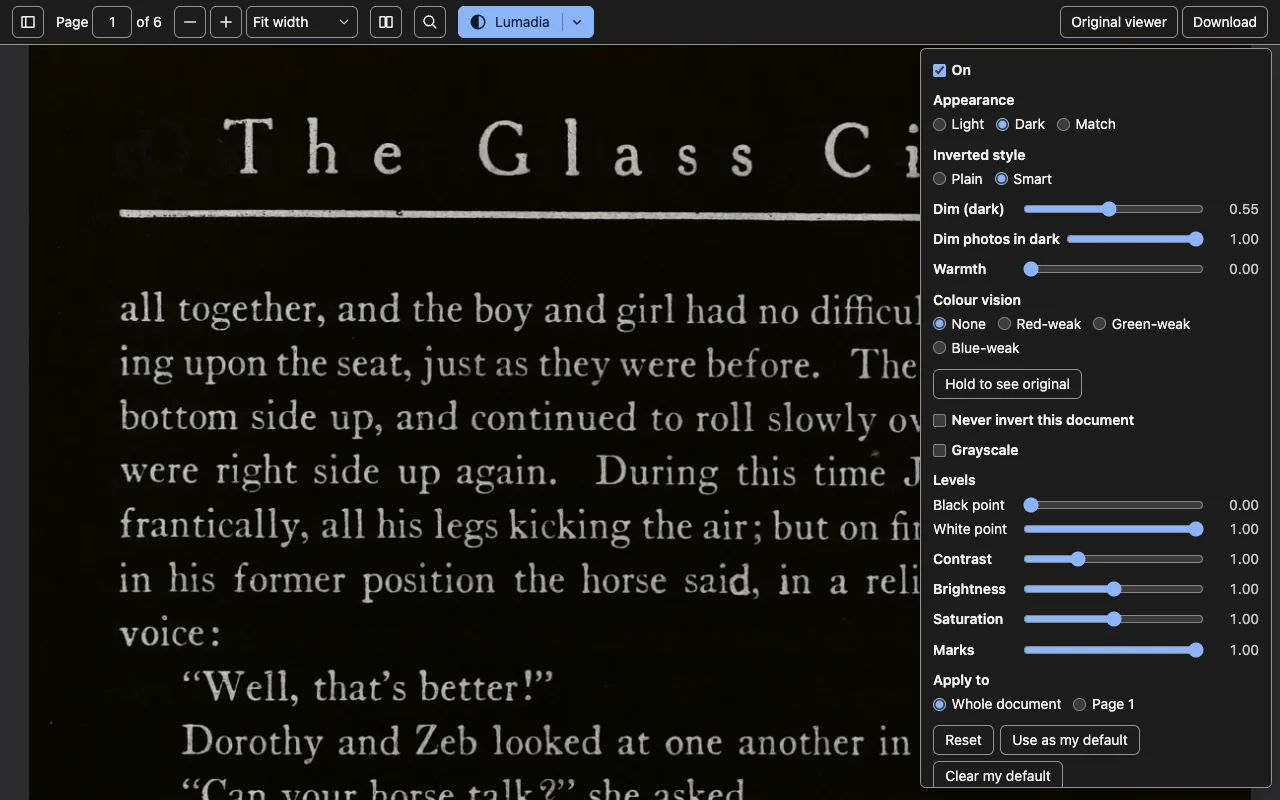
- Dark, Light or MatchInvert the page plainly, or keep colours' hue. Match follows your system.
- Clean up a scanLevels, contrast, grayscale, brightness and saturation, for the whole book or one page.
- Easy on the eyesWarmth for night reading, and correction for colour-vision deficiency.
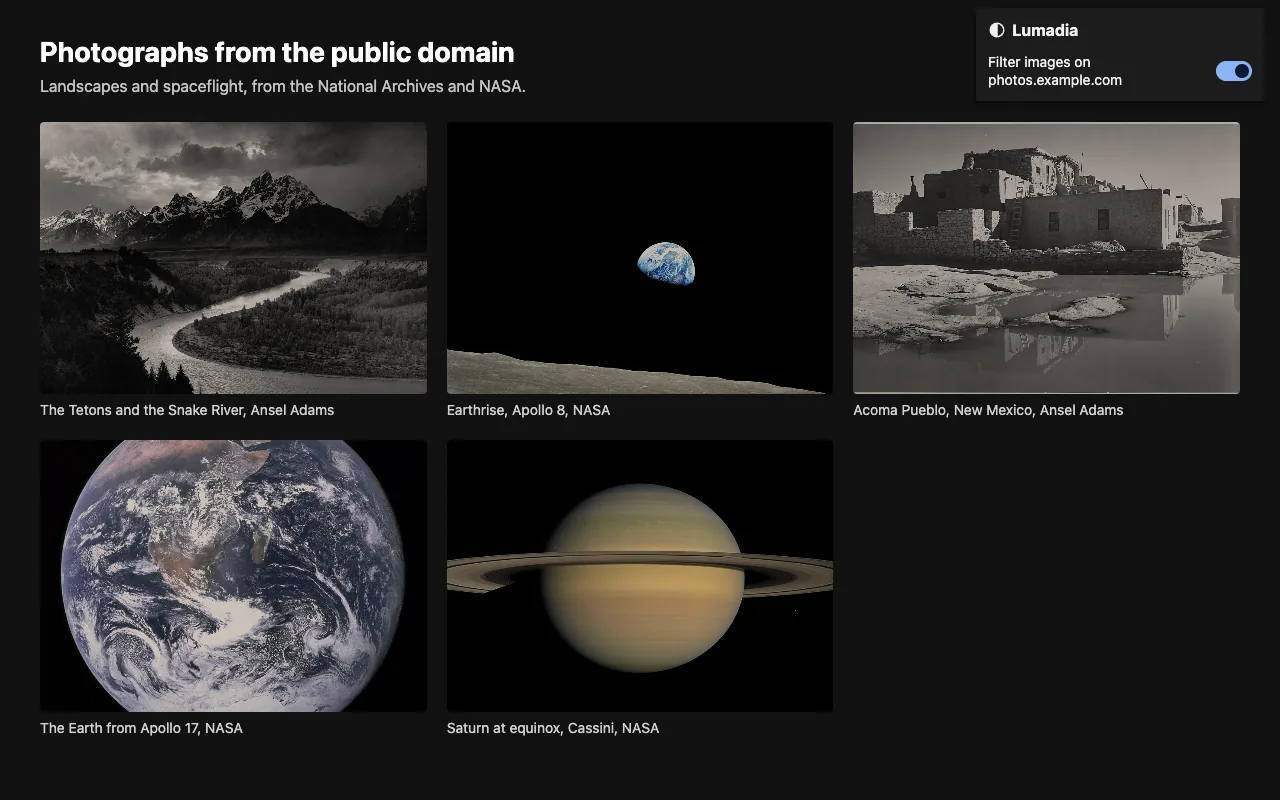
- Images on the webTurn image filtering on for the sites you choose, or right-click one image and choose “View with Lumadia”.
- The original, alwaysSwitch Lumadia off at any time, go back to Chrome's own viewer in one click, and print or download the unchanged file.
A look
Private by design
Lumadia has no account and no server, and it collects nothing. Your settings stay in your browser.
Requirements
Google Chrome 151 or later, on macOS, Windows, Linux or ChromeOS.